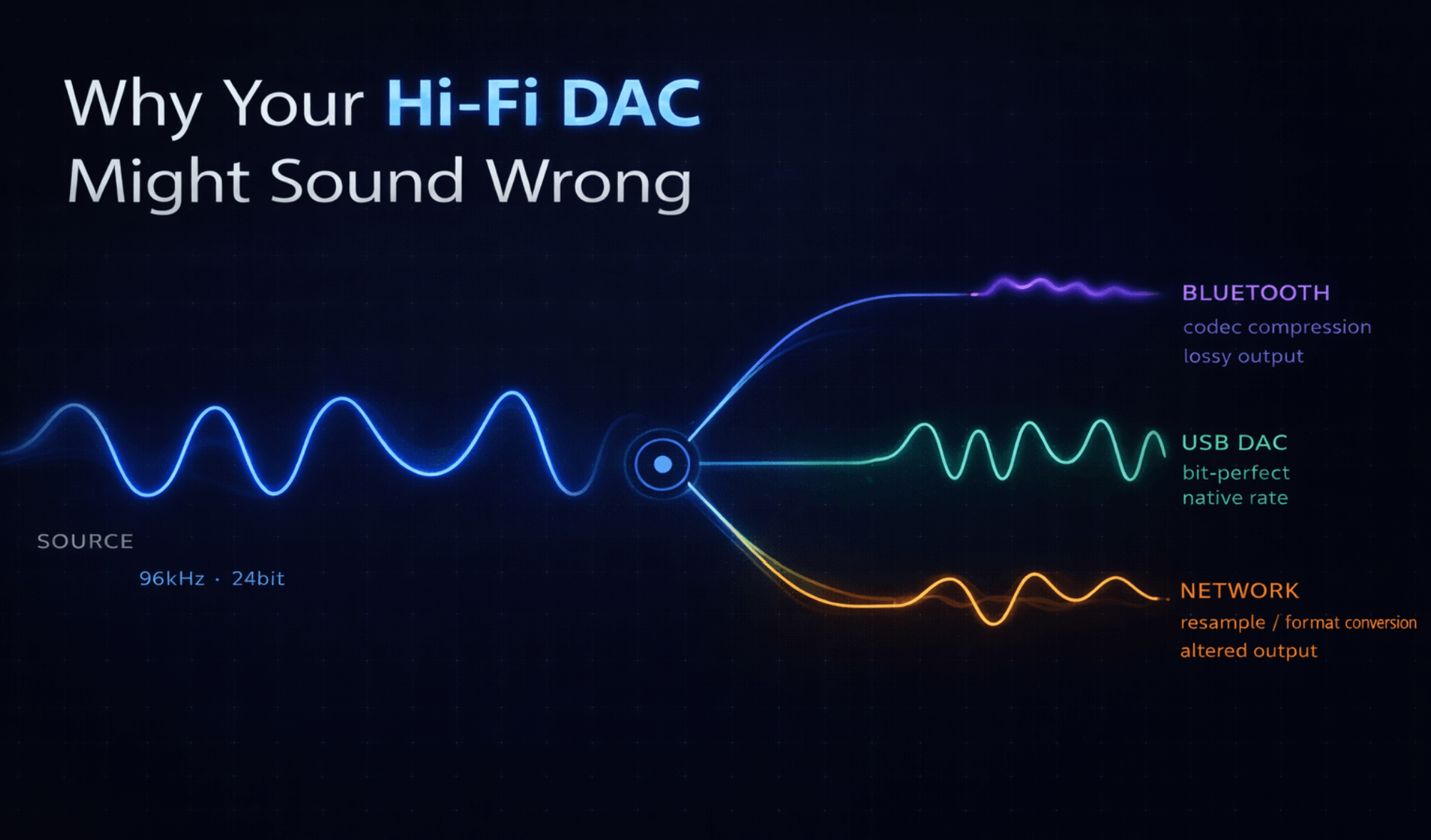
Why Your Hi‑Fi DAC Might Sound Wrong
And What Route‑Aware Playback Actually Fixes
Ok.. So, you've done everything right...
You ripped your albums to FLAC. You bought a proper DAC. You plugged it in, opened your music app, and hit play on a 96kHz recording in your mind you know this should sound incredible.
Your DAC lights up.. The music starts..
But wait something feels off. You are sure you've heard this song 100 times before and better.. It's Not bad, but just not what you expected.
Here's the thing: what you're hearing might not actually be the file you think you're playing.
Most listeners assume that pressing play on a high‑resolution track means the original audio reaches their DAC untouched. But between the app and your ears, the signal quietly passes through a maze of hidden processing — resampling, format conversions, system mixing, compatibility workarounds — and most music apps never mention any of it.
If you've ever wondered why your carefully chosen gear doesn't quite deliver what it should, this is probably why.
What Actually Happens When You Press Play
It's easy to imagine playback as a straight line: file goes in, sound comes out. In practice, your audio passes through several stages before it reaches anything you can hear.
A typical chain looks something like this:
- Decode the file format (FLAC, MP3, AAC, etc.)
- Convert the samples to a working format the system expects
- Apply processing — ReplayGain, EQ, volume adjustment
- Pass through the OS mixer — the system's own audio layer
- Output to whatever device you're using — Bluetooth, USB DAC, network speaker
Every one of those stages can alter the signal. And here's where it gets interesting: every output route behaves differently.
Bluetooth introduces lossy compression. Some network speakers quietly reject anything above 48kHz. Many phones lock their audio mixer to a single sample rate regardless of what you're playing. USB DACs might support high sample rates — but only if the operating system actually lets them.
Playback isn't just "play a file." It's a negotiation between the source, the OS, and whatever's on the other end of the cable.
The Resampling You Never Asked For
This one catches a lot of people off guard.
On many platforms — Android especially (It has gotten a little better in areas..) — the system audio mixer runs at a fixed sample rate, often 48kHz. So when you play that beautiful 96kHz FLAC, the system may quietly downsample it to 48kHz before it ever reaches your DAC.
Here's what that looks like:
Your track:     96kHz FLAC
System mixer:   48kHz
What your DAC gets: 48kHz
No warning. No notification. The app still says "96kHz." Your DAC might even display "48kHz" if you're paying attention — but most people aren't, because why would they be?
Now, to be fair.. a well‑designed resampler can be remarkably transparent. This isn't always catastrophic. But it does mean your audio chain is silently doing something you didn't ask for — and if you've invested in gear that can handle the original sample rate, you're just not getting what you paid for.
Not All Output Devices Are Created Equal
Beyond resampling, there's a broader issue: every playback device has its own quirks and limitations, and most 😈music apps pretend they don't exist..

A few real‑world examples:
- Bluetooth codecs cap sample rates and introduce their own compression — bit‑perfect playback is physically impossible over Bluetooth, no matter what the app does.. (and who know which codec has been chosen.)
- Network renderers (like DLNA/UPnP speakers) accept certain formats but reject others, often failing silently (Bose Soundtouch guys I'm looking at you)
- USB DACs can often handle native high‑res sample rates, but need the app to explicitly negotiate that capability with the OS.
- Multi‑room systems need synchronised timing across devices, which is a completely different challenge from single‑device playback
When apps ignore these differences, the results range from mildly annoying to genuinely confusing: tracks that won't play, audio that cuts out, quality that varies depending on which room you're in, or processing being applied where it shouldn't be.
Most music players treat every output route identically. The problem is that audio hardware is anything but identical and why we are constantly chasing that audio dragon for the next incremental improvement.
What If Your Player Actually Understood the Route?
This is the idea at the heart of route‑aware playback — and it's simple once you see it.
Instead of running every track through the same fixed pipeline regardless of where it's going, a route‑aware player adapts its behaviour based on the actual output path.
It asks questions like:
- What device is currently active?
- What formats and sample rates does it support?
- Should DSP be applied, or should it be bypassed entirely?
- Does the target need transcoding, or can it receive the raw file?
Different routes lead to genuinely different strategies:
| Route | What makes sense |
|---|---|
| Bluetooth | Prioritise compatibility. Apply useful DSP like ReplayGain — bit‑perfect doesn't matter here because the signal gets recompressed anyway |
| USB DAC | Negotiate the native sample rate. Bypass DSP if bit‑perfect mode is on. Let the DAC do what it was designed to do |
| Network renderer | Check what the device supports. Send the raw file if possible, transcode only when necessary |
| Multi‑room | Coordinate timing and buffering across devices to keep everything in sync |
...It's not a radical concept. It's just that almost nobody does it.
Well at least the team at one man band studios hasn't seen it yet..
How Echobox Approaches This
This is one of the core ideas we're building into Echobox.
Rather than assuming every device behaves the same way, Echobox tries to understand the full audio route and make sensible decisions based on what it finds.
In practice, that means:
- USB DAC detected? Echobox negotiates the track's native sample rate directly and can bypass all DSP when bit‑perfect mode is enabled. Your 96kHz file arrives at your DAC as 96kHz — no silent resampling.
- Bluetooth connected? Bit‑perfect mode switches off automatically. The signal is going to be recompressed by the codec anyway, so Echobox focuses on useful processing like ReplayGain instead of pretending the path is lossless.
- Streaming to a network speaker? Echobox checks what the renderer actually supports and decides whether to pass through the original file or transcode to a compatible format — no silent failures, no guesswork.
- Multi‑room playback? Timing and buffering adjust to keep devices synchronised, because a 200ms offset between your kitchen and living room speakers is the kind of thing that ruins the experience.
The goal isn't to add complexity. It's the opposite — to handle the complexity so you don't have to think about it. You press play, and Echobox makes sure the signal gets where it's going in the best way possible for that specific route.
Learn with us
In short, it means your music player pays attention to where the audio is going and adjusts accordingly. A USB DAC, a Bluetooth headset, and a network speaker all have different capabilities — route‑aware playback recognises that and adapts the pipeline for each one, rather than using a one‑size‑fits‑all approach.
It depends. A high‑quality resampler can be very transparent, and most listeners won't hear a difference in casual listening. But if you've invested in a DAC that handles native sample rates, unnecessary resampling means you're not hearing what your gear is capable of. In a high‑fidelity chain, avoiding unnecessary conversions is generally the goal.
Bit‑perfect means the original digital audio samples reach your DAC completely unchanged — no volume scaling, no EQ, no resampling, no DSP of any kind. It's essentially getting out of the way and letting the DAC receive exactly what's in the file. It matters most with capable hardware; over Bluetooth, it's not physically possible, which is why a smart player disables it automatically for that route.
We'd Love to Hear About Your Setup
We're building Echobox for people who care about how their music actually sounds — and that means understanding the real‑world setups people are using.
Are you listening through Bluetooth headphones on the go and a USB DAC at your desk? Running a network streamer into a tube amp? Wrestling with multi‑room sync issues?
We'd love to know. The more we understand about real listening chains — and the weird edge cases that come with them — the better we can make Echobox handle them.